How do recruiter screening calls work on Intervue?
–
Intervue lets recruiters make screening calls directly from their laptop.
During the call, recruiters get a live transcript and can use suggested questions based on
the skills being evaluated. Once the call ends, a structured candidate report is generated.
Can recruiters record screening calls?
+
Yes. Audio recordings are available after the screening call, allowing
recruiters and hiring teams to review the conversation later.
Does Intervue generate a report after every screening call?
+
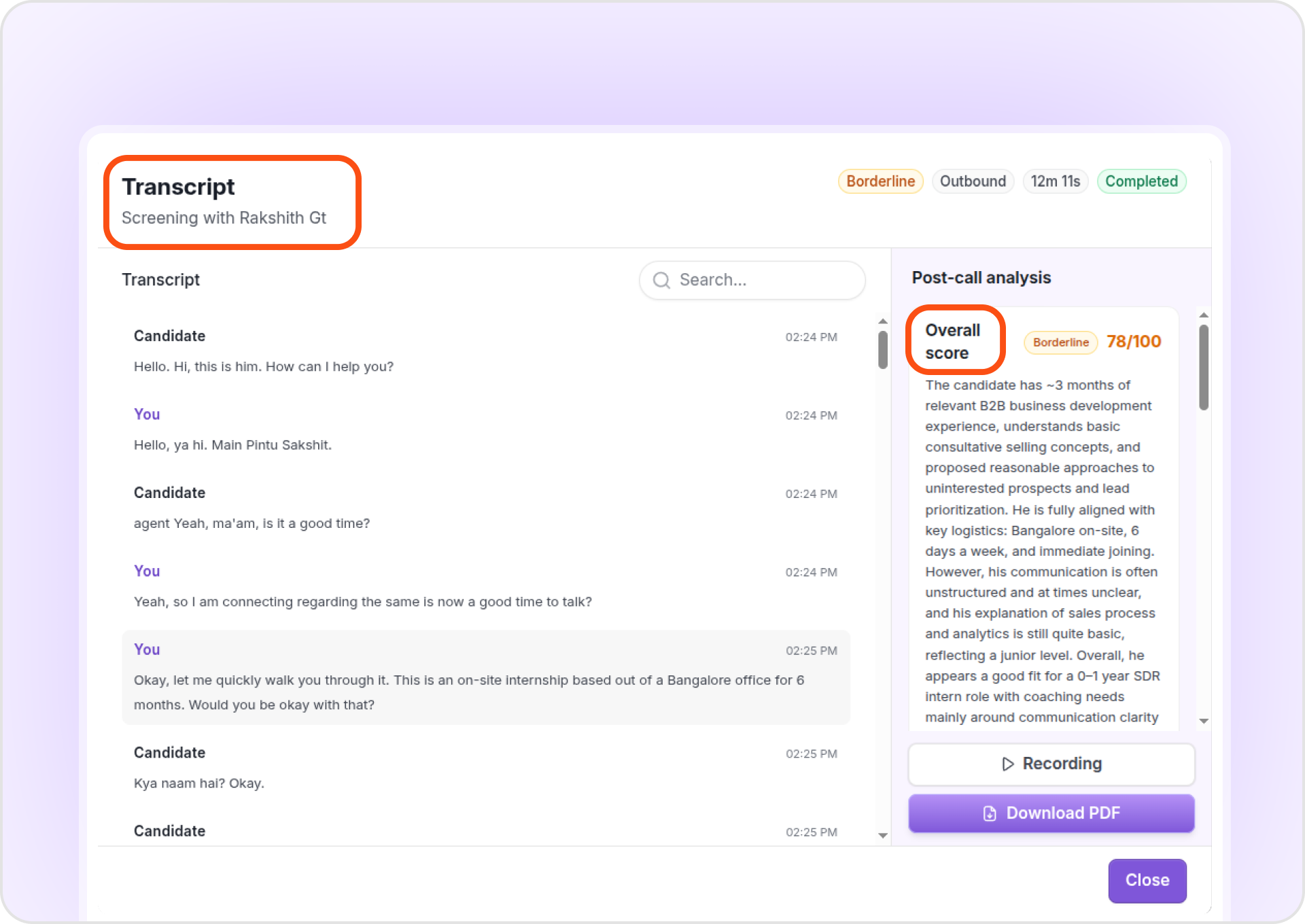
Yes. Once the call ends, Intervue generates a report with the candidate's
score, evaluation, and candidature recommendation.
Can I automatically reject candidates after a screening call?
+
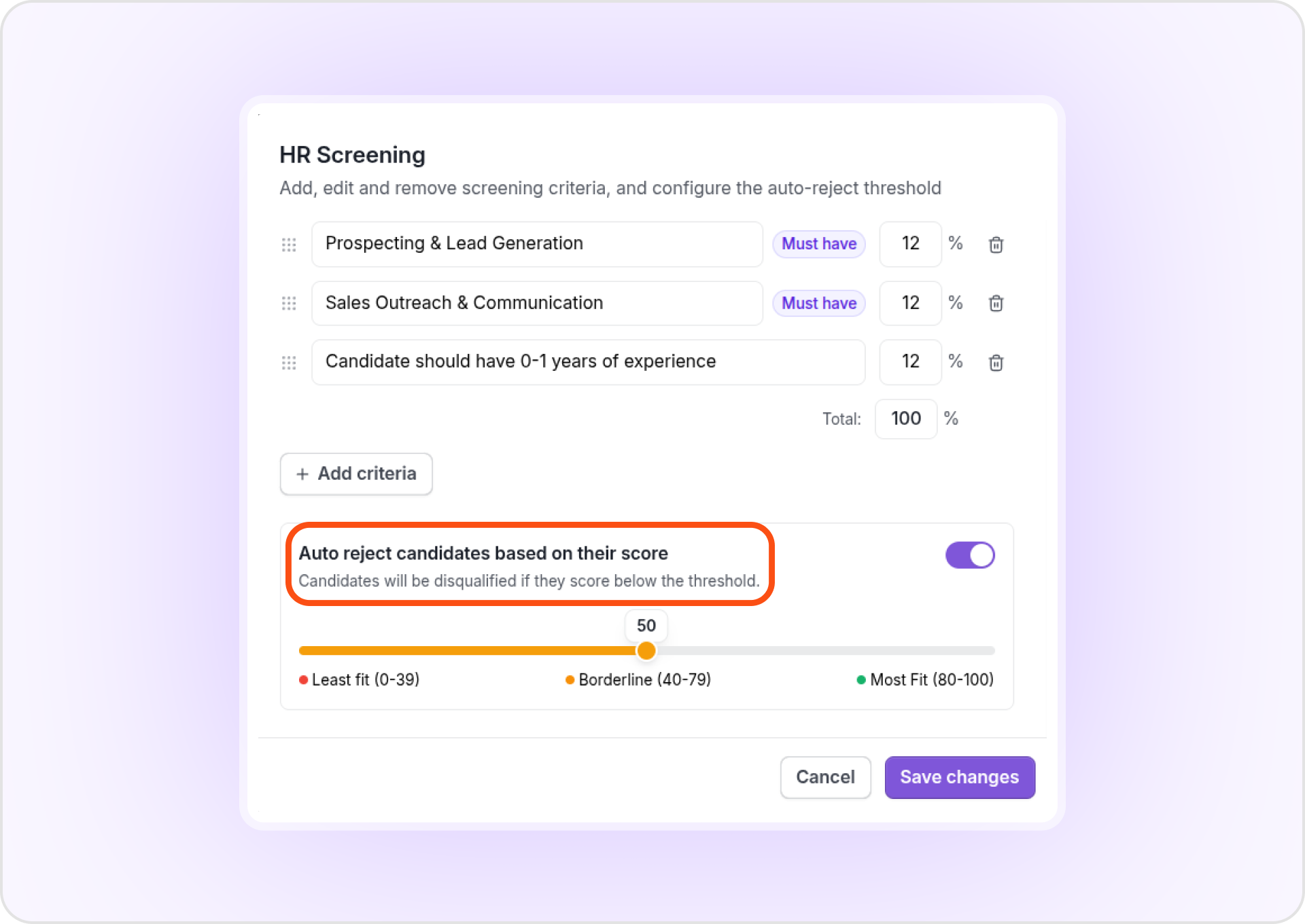
Yes. You can define screening criteria and configure auto-rejection for
candidates who don't meet the required criteria.
Can Intervue suggest questions for recruiter screening calls?
+
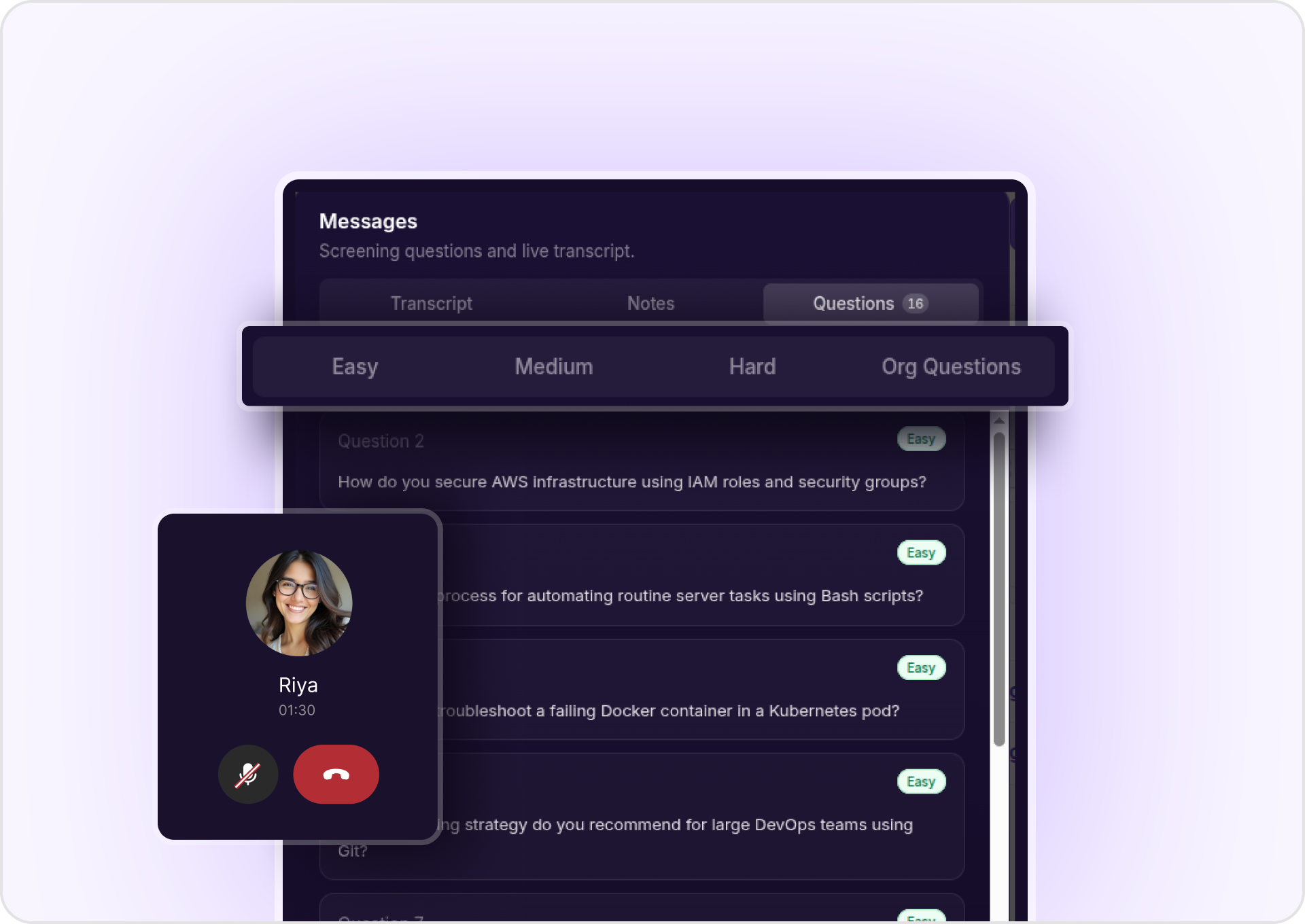
Yes. Intervue suggests questions based on the skill being evaluated and
lets recruiters choose from Easy, Medium, and Hard questions.
Can I see evaluations from multiple screening calls?
+
Yes. If a candidate goes through multiple screening calls, such as 2–3
calls, Intervue can bring the evaluations together into a collated report.
Will I know if a candidate tried to call me?
+
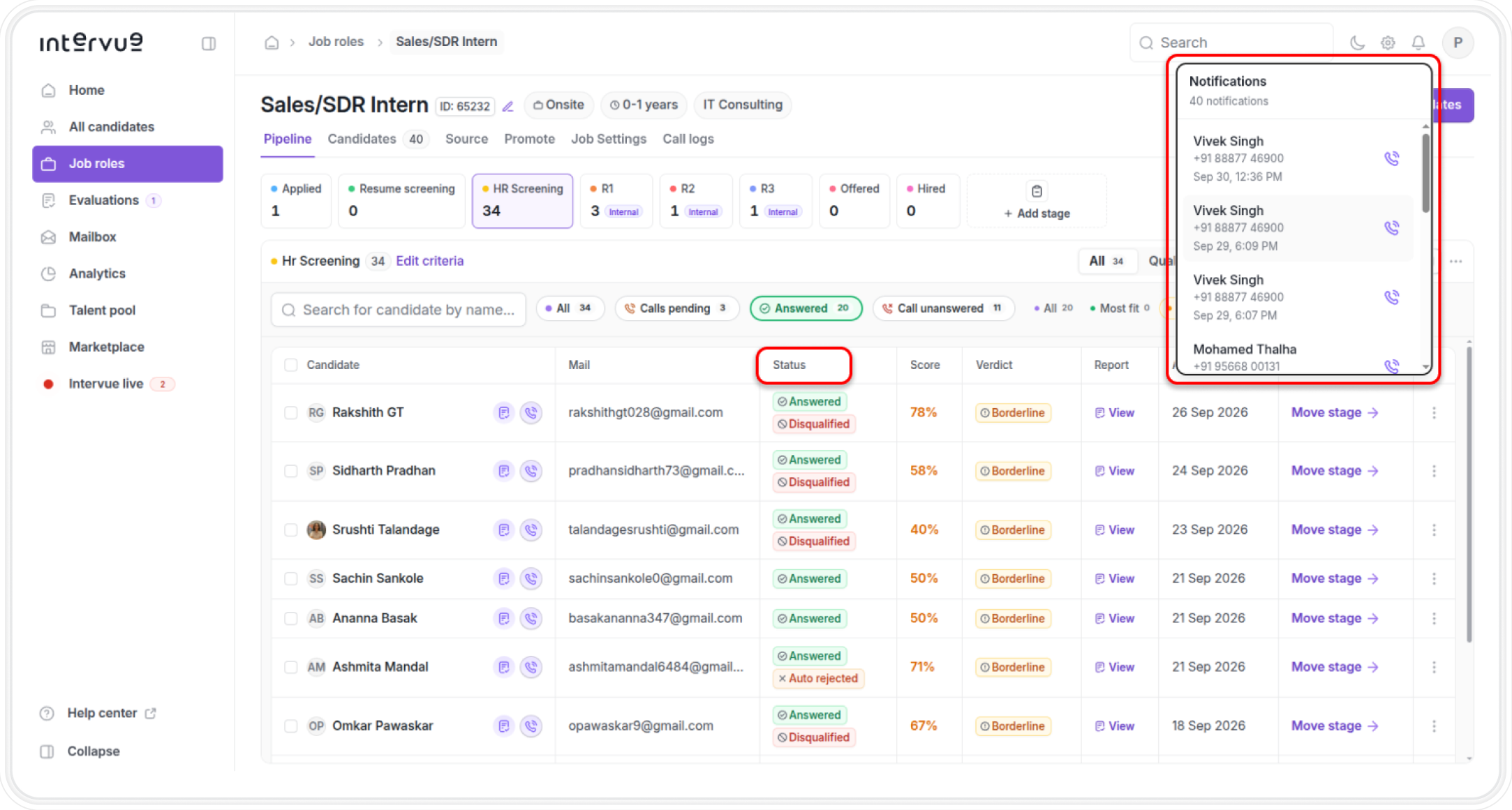
Yes. Intervue can notify recruiters when a candidate has tried to call
through the bell notification, with WhatsApp notifications available as well.