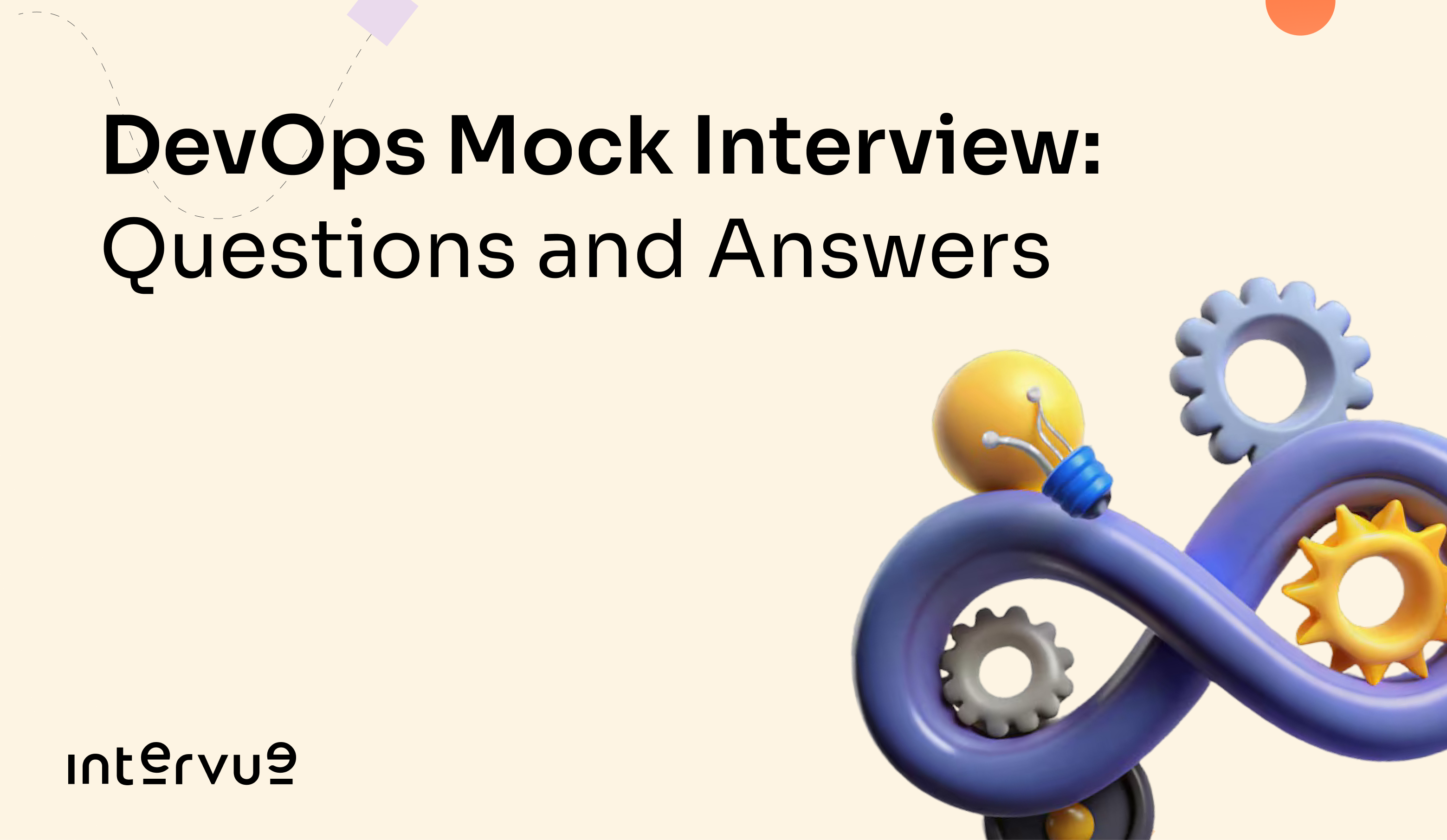
DevOps engineer interviews test a broader range of knowledge than most technical interviews. A typical loop includes Linux and scripting, containerisation with Docker, orchestration with Kubernetes, CI/CD pipeline design, infrastructure as code, and cloud platform fundamentals. The depth expected in each area scales with seniority but the breadth is constant across levels.
What catches most candidates off guard is that DevOps interviewers care less about whether you know the commands and more about whether you can reason through a problem in a production environment. Scenario-based questions, a pod is crashing, a pipeline is failing, a deployment just broke production, dominate senior DevOps interviews and require you to think out loud through your troubleshooting process.
If you want to practice these questions in a real one-on-one mock interview with an experienced engineer, book a mock interview on Intervue.io. The rest of this guide gives you the questions, the answers, and what interviewers are actually evaluating.
What a DevOps Interview Covers
DevOps interviews test across five main areas.
Linux and scripting covers command-line fluency, file system navigation, process management, networking commands, and the ability to write Bash or Python scripts to automate tasks. This is tested at every level.
Containerisation with Docker covers the Docker architecture, image lifecycle, Dockerfile best practices, networking between containers, and Docker Compose for multi-container setups. Entry to mid-level interviews focus heavily here.
Kubernetes covers cluster architecture, pods, deployments, services, config maps, secrets, health checks, and troubleshooting cluster issues. Mid to senior level interviews go deep on Kubernetes.
CI/CD pipelines covers how you design, build, and troubleshoot continuous integration and deployment pipelines using tools like Jenkins, GitLab CI, GitHub Actions, or CircleCI. The emphasis is on real-world pipeline design decisions, not tool-specific commands.
Infrastructure as Code covers Terraform for provisioning cloud infrastructure and Ansible or similar tools for configuration management. Senior interviews expect fluency here.
Docker Questions
What is the difference between a Docker image and a Docker container?
A Docker image is a read-only blueprint that contains everything needed to run an application: the base OS layer, application code, runtime, libraries, and configuration. Images are built from a Dockerfile and stored in a registry.
A Docker container is a running instance of an image. When you run an image, Docker creates a container with a writable layer on top of the read-only image layers. Multiple containers can run from the same image simultaneously, each with their own writable state.
The relationship: image is to container as class is to object. The image is the definition. The container is the running instantiation.
What is the difference between COPY and ADD in a Dockerfile?
Both COPY and ADD copy files from the host into the image during the build process.
COPY is the simpler and preferred option. It copies files or directories from a source path on the host to a destination path in the image. Nothing more.
ADD does everything COPY does but with two additional behaviours: it can automatically extract tar archives into the destination directory, and it can fetch files from a remote URL.
The recommendation is to always use COPY unless you specifically need the tar extraction or URL fetching behaviour that ADD provides. Using ADD when COPY would work adds implicit behaviour that makes the Dockerfile harder to understand.
How do you reduce Docker image size?
Large images increase registry storage costs, slow down deployments, and increase the attack surface for security vulnerabilities. The main strategies to reduce image size:
Use a minimal base image. Alpine-based images are commonly 5 to 10 times smaller than Ubuntu or Debian-based equivalents. For many applications, distroless images (which contain only the application and its runtime dependencies) are even smaller.
Use multi-stage builds. Build in one stage using a full SDK image and copy only the compiled output to a minimal runtime image. The build tools never end up in the final image.
dockerfile
# Build stage
FROM golang:1.21 AS builder
WORKDIR /app
COPY . .
RUN go build -o server .

# Runtime stage: only the binary, no build tools
FROM alpine:3.18
COPY --from=builder /app/server /server
CMD ["/server"]
Minimise the number of layers. Each RUN instruction creates a new layer. Chain related commands with && to keep them in a single layer. Clean up package manager caches in the same RUN instruction that installs packages, not in a subsequent one (a subsequent clean-up instruction still carries the cache in the previous layer).
What happens when you run docker run?
This question tests whether you understand what Docker is actually doing rather than just using it as a black box.
Docker checks whether the image exists locally. If not, it pulls it from the configured registry (Docker Hub by default).
Docker creates a new container from the image, adding a writable layer on top of the read-only image layers.
Docker sets up the container's network namespace: assigns an IP address, connects it to the specified network (bridge by default), and sets up port mappings if requested.
Docker mounts any specified volumes or bind mounts.
Docker starts the process specified by CMD or ENTRYPOINT in the Dockerfile (or overridden on the command line).
Kubernetes Questions
Explain the Kubernetes architecture.
A Kubernetes cluster has two types of nodes: the control plane (master) and worker nodes.
The control plane components are: the API server (the entry point for all cluster operations, it validates and processes requests), etcd (a distributed key-value store that holds all cluster state), the scheduler (assigns pods to worker nodes based on resource availability and constraints), and the controller manager (runs controllers that maintain desired state — for example, the ReplicaSet controller ensures the right number of pod replicas are always running).
Worker node components are: the kubelet (an agent that runs on each node, communicates with the API server, and ensures containers are running as specified), kube-proxy (manages network rules on each node, enabling communication to pods from inside or outside the cluster), and the container runtime (Docker, containerd, or CRI-O — actually runs the containers).
A pod is stuck in CrashLoopBackOff. How do you troubleshoot it?
This is one of the most common scenario-based questions in Kubernetes interviews. Walk through your troubleshooting process step by step.
First, get the pod status and recent events:
bash
kubectl describe pod <pod-name>
This shows the events section which often contains the immediate cause: image pull errors, volume mount failures, failed health checks.
Second, check the container logs:
bash
kubectl logs <pod-name>
# If the container has already crashed, check the previous container's logs
kubectl logs <pod-name> --previous
Application errors, missing environment variables, and failed database connections all show up here.
Third, check the pod specification for common misconfigurations: incorrect image name or tag, missing config maps or secrets that are referenced, liveness probe settings that are too aggressive (the probe is killing the container before the application finishes starting), and resource limits set too low for the application to start.
Fourth, if the logs are empty (the container is crashing too fast to log anything), override the container entrypoint to keep it alive and exec into it:
bash
kubectl run debug --image=<same-image> --command -- sleep infinity
kubectl exec -it debug -- /bin/sh
What is the difference between a Deployment and a StatefulSet?
A Deployment manages stateless applications. Pods created by a Deployment are interchangeable: they have random names, can be scheduled on any node, and do not retain state between restarts. Rolling updates replace pods one by one with no guaranteed order.
A StatefulSet manages stateful applications like databases. Pods in a StatefulSet have stable, predictable names (app-0, app-1, app-2), stable network identities (each gets a consistent DNS name), and stable persistent storage (each pod gets its own PersistentVolumeClaim that follows it even when the pod is rescheduled). StatefulSet updates are ordered: app-2 is updated before app-1 before app-0.
Use a Deployment for web servers, API services, and anything that does not need stable identity or persistent storage. Use a StatefulSet for databases, message queues, and applications where each instance has a distinct role or needs to retain state independently.
What are liveness and readiness probes and how do they differ?
Both are health check mechanisms configured in the pod specification but they serve different purposes.
A liveness probe tells Kubernetes whether a container is alive. If the liveness probe fails, Kubernetes kills the container and restarts it. Use it to detect situations where the application has entered a broken state it cannot recover from on its own (deadlock, infinite loop, memory leak causing unresponsiveness).
A readiness probe tells Kubernetes whether a container is ready to receive traffic. If the readiness probe fails, Kubernetes removes the pod from the service's endpoints so no traffic is sent to it, but it does not restart the container. Use it to prevent traffic from reaching a pod that is starting up, waiting for a dependency, or temporarily overwhelmed.
The key distinction: liveness affects container lifecycle (restart on failure). Readiness affects traffic routing (remove from load balancer on failure).
A misconfigured liveness probe with too-short timeouts is one of the most common causes of CrashLoopBackOff in production.
CI/CD Questions
Walk me through how you would design a CI/CD pipeline for a web application.
This is an open-ended design question. The interviewer is evaluating whether you understand the stages, the failure modes, and the trade-offs, not whether you know the syntax of a specific tool.
A well-designed pipeline for a web application has these stages:
Source trigger: The pipeline starts when code is pushed to the repository. Typically triggers on pull request creation and on merge to main.
Build stage: Compile the code, install dependencies, run static analysis (linters, formatters). Fail fast here so developers get feedback in under 2 minutes.
Test stage: Run unit tests, integration tests, and security scans (SAST - static application security testing). This stage runs in parallel where possible to reduce total pipeline time.
Containerisation: Build a Docker image. Tag it with the commit SHA so every image is traceable to the exact code that produced it. Push to a container registry.
Staging deployment: Deploy the image to a staging environment. Run smoke tests and end-to-end tests against staging. This catches environment-specific issues that unit tests miss.
Production deployment: Deploy to production using a safe deployment strategy. Blue-green deployment (run two identical environments, switch traffic from one to the other) minimises downtime. Canary deployment (gradually shift a percentage of traffic to the new version) minimises blast radius on rollouts.
Post-deployment verification: Run health checks against production immediately after deployment. If health checks fail, trigger automatic rollback.
How do you handle secrets in a CI/CD pipeline?
This is a security-focused question that appears in almost every DevOps interview.
Never hardcode secrets in code, configuration files, or pipeline definitions. Even in private repositories, secrets in code eventually leak through logs, error messages, or accidental commits.
The approaches in order of preference:
Use the secret management feature of your CI/CD platform: GitHub Actions secrets, GitLab CI variables marked as masked and protected, or Jenkins credentials. These are injected into the pipeline as environment variables and are not stored in the job logs.
For secrets used by running applications, use a dedicated secrets manager: AWS Secrets Manager, HashiCorp Vault, or Kubernetes Secrets (with encryption at rest enabled). Applications fetch secrets at startup rather than having them baked into the image or environment.
Rotate secrets regularly and audit access. A secret that never rotates and whose access is never reviewed eventually becomes a liability.
Infrastructure as Code Questions
What is Terraform and what problem does it solve?
Terraform is an Infrastructure as Code (IaC) tool that lets you define cloud infrastructure in declarative configuration files and then provision and manage that infrastructure through code rather than through manual console operations.
The problem it solves: manually provisioning infrastructure is slow, error-prone, and impossible to reproduce consistently. Terraform configuration files describe the desired state of your infrastructure. Terraform compares the desired state to the actual state and makes only the changes necessary to bring them into alignment.
Key concepts: providers (plugins that enable Terraform to interact with a specific cloud platform - AWS, GCP, Azure), resources (the infrastructure components you define — EC2 instances, S3 buckets, VPCs), state (a file that tracks the current state of your infrastructure so Terraform knows what exists and what needs to change), and plan/apply (terraform plan shows what changes will be made without making them; terraform apply executes the changes).
What is the difference between Terraform plan and Terraform apply?
terraform plan is a dry run. It reads your configuration files and the current state, computes the difference, and shows you exactly what it would create, modify, or destroy if you applied the changes. No changes are made to real infrastructure.
terraform apply executes the plan. It makes the actual API calls to create, modify, or destroy resources to match the desired configuration.
Always run terraform plan and review the output carefully before running terraform apply. In a CI/CD pipeline, the plan output can be posted as a pull request comment so the team can review infrastructure changes the same way they review code changes.
A common interview follow-up: "What is terraform state and what happens if it gets out of sync?" The state file is the source of truth for what Terraform believes exists. If someone manually modifies infrastructure outside of Terraform, the state file and actual infrastructure diverge. Run terraform refresh to update the state file from the real infrastructure, or terraform import to bring existing resources under Terraform management.
What Interviewers Score in DevOps Interviews
In scenario-based rounds, they score your troubleshooting methodology. Do you start from the symptoms and work backward to the cause systematically, or do you jump to specific tools without a clear diagnostic path? The kubectl describe, then kubectl logs, then check the spec sequence for a CrashLoopBackOff is the kind of methodical approach they want to see.
In design rounds, they score whether you think about the failure modes and security implications of your design, not just the happy path. A CI/CD pipeline design that does not mention what happens when a deployment to production fails, or how secrets are managed, is an incomplete answer.
In tool-specific questions, they score depth over breadth. Knowing that you should use multi-stage Docker builds and being able to write the Dockerfile is stronger than being able to name ten Docker commands without explaining when to use them.
FAQs
Is Kubernetes required for all DevOps interviews? Kubernetes is expected at mid-level and above at product companies and FAANG. At IT services companies and for entry-level DevOps roles, Docker and CI/CD fundamentals are the primary focus. Kubernetes depth becomes critical from 2 to 3 years of experience upward.
What cloud platform should I focus on for DevOps interviews? AWS is the most commonly asked about cloud platform in Indian DevOps interviews and globally. GCP appears frequently at Google and in data-heavy companies. Azure appears more in enterprise and Microsoft ecosystem environments. Having hands-on experience with at least one platform deeply is more valuable than surface knowledge of all three.
How important is Linux for DevOps interviews? Extremely important. Linux commands, process management, file system permissions, networking tools (netstat, curl, dig, tcpdump), and Bash scripting are tested in almost every DevOps interview regardless of level. If your Linux fundamentals are weak, address that before everything else.
What scripting language is most commonly tested? Bash for automation scripts and system administration tasks. Python for more complex automation, API interactions, and data processing. Both appear. Bash is tested more universally. Python depth is expected at senior level.
How do I prepare for scenario-based DevOps questions? The most effective preparation is to have actually experienced or simulated the scenarios. Set up a local Kubernetes cluster with minikube or kind, deliberately break things, and practice diagnosing and fixing them. Reading about troubleshooting CrashLoopBackOff is far less effective than having done it.
Summary
DevOps interviews test your ability to reason through production problems, not just recite tool commands. The scenario-based questions on Kubernetes troubleshooting, pipeline failures, and infrastructure decisions reveal whether you have the systematic thinking and production awareness the role requires.
The technical depth spans Docker, Kubernetes, CI/CD pipeline design, Linux, and infrastructure as code. Entry-level interviews focus on Docker and CI/CD fundamentals. Mid to senior interviews expect Kubernetes depth and infrastructure as code fluency alongside everything else.
Book a DevOps mock interview on Intervue.io to practice with an engineer who knows what the bar looks like at the company you are targeting.
Visit intervue.io